
Write better
on any website.
Whyno Write sits beside the text box you are typing in. Fix a message, sharpen an AI prompt, or talk your thoughts into a finished message, all without leaving the page.
Available now on the Chrome Web Store. Free with a Google sign-in.
Watch it work.
Fix, Enhance and Flow, in about forty seconds.
One button for each job.
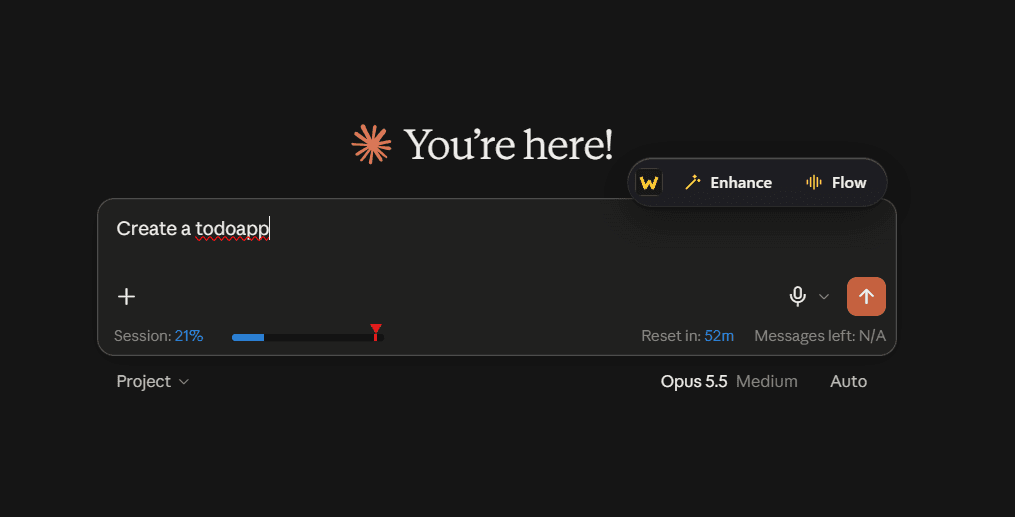
The Whyno button appears beside the text box you are using. Its label tells you what it will do there.
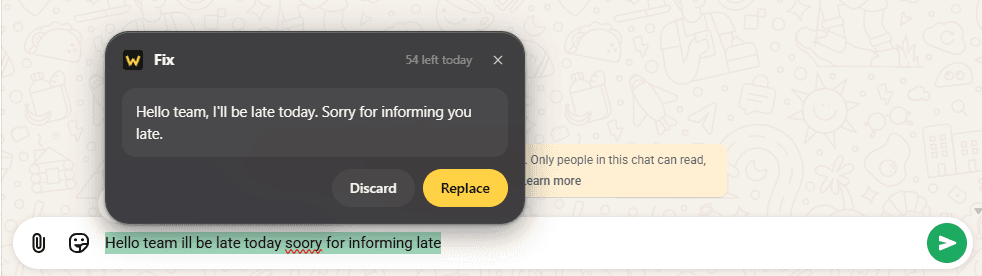
Fix
Corrects spelling, grammar and clarity in an email, a message or a form, keeping what you meant.
Where: Any website
Enhance
Turns a rough prompt into a clear, specific one, so an AI chat gives you a better answer.
Where: AI chat sites, like ChatGPT, Claude and Gemini
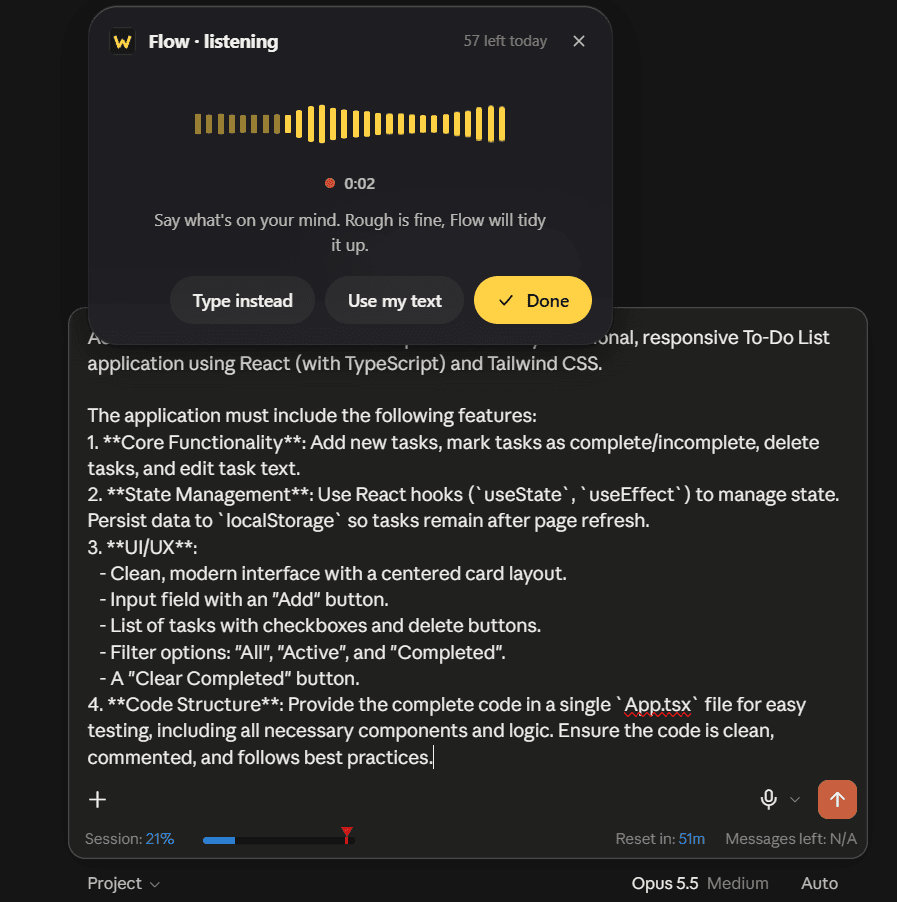
Flow
Speak your thoughts, or type rough notes, and get a polished message ready to send.
Where: Any website, with the microphone
Just say it.
We’ll shape it.
Tap Flow and talk through what you want to say. Rough is fine. Flow tidies it into a clear message, and you can ask for changes by voice or with one tap.
The microphone is used only while Flow shows that it is listening.
Shorter, More formal, Friendlier and Bullet points, in one tap.
Insert puts the draft where your cursor was. Nothing else in the box changes.
Fix it in one tap.
Select a sentence, or leave the cursor in the box, and tap Fix. You read the suggestion first, then choose Replace or Discard.
Only the part you selected is replaced, when you select something.
Your text never changes on its own. You decide, every time.
Three steps, then you are writing.
Add it to Chrome
Install Whyno Write from the Chrome Web Store. It works in Chrome on your computer, and a short tutorial opens when it is installed.
Sign in with Google
AI features need a free Google sign-in. Signed in, you get 100 AI requests a day.
Tap a button beside any text box
Fix, Enhance or Flow appears as you type. Read the result, then choose Replace or Insert.
Only when you ask.
Whyno Write does not follow what you type. It works only at the moments you tap, and it sends only what you chose to send. The full policy is written in plain words.
Your text is read only when you tap Fix, Enhance or Flow.
The button never appears on password, email, phone or card-number fields.
The microphone is used only while Flow shows that it is listening.
Whyno does not keep your text or recordings. Only daily usage counts are kept.
Good to know.
The short answers. The full privacy policy covers the rest.
Does it work on every website?
The button appears beside text boxes on websites. Enhance is for AI chat sites such as ChatGPT, Claude and Gemini. Everywhere else the same button reads Fix.
Do I need to sign in?
Yes, for the AI features. Sign-in is with Google and is free. It gives you 100 AI requests a day.
Does it work on my phone?
No. Whyno Write is a Chrome extension for computers. The Android keyboard is a separate product, on the keyboard page.
Is it available now?
Yes. Whyno Write is on the Chrome Web Store. Add it to Chrome, sign in with Google, and the tutorial shows what Fix, Enhance and Flow do.
Write better, everywhere
you type in Chrome.
Add Whyno Write to Chrome. It is free with a Google sign-in.